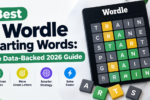
Open YouTube and search “Wordle hint today” or “Strands answers” and the same title repeats across dozens of channels, almost word for word. When every video is chasing the same daily search, the title can’t do much to separate one channel from the next. The thumbnail is what actually gets the click. An AI thumbnail generator has become the fastest way for puzzle and word game creators to produce that thumbnail without hiring a designer or opening editing software every single day.
Why Do Puzzle and Word Game Channels Need Strong Thumbnails to Grow?
Puzzle and word game channels need strong thumbnails because daily-hint and walkthrough content competes on nearly identical titles, so the thumbnail is often the only differentiator that gets the click.
Hundreds of channels publish essentially the same content on the same day: today’s Wordle answer, today’s Strands hint, today’s Connections categories. The title format is locked in by what people actually search, which leaves almost no room to stand out through text alone. The thumbnail becomes the real competition. A flat screenshot of a puzzle board blends into a results page full of identical screenshots, while a thumbnail with a clear focal point, bold color, and an expressive reaction face pulls the eye first. For a channel trying to grow past its existing subscriber base, that visual difference is often what decides whether a new viewer clicks in or scrolls past.
How Does an AI Thumbnail Generator Actually Work?
An AI thumbnail generator works from a text prompt or a reference image, producing a styled, high-contrast graphic sized for YouTube without requiring manual design software.
Tools like an AI image generator help creators produce a new thumbnail concept the same day they publish a video, rather than waiting on a designer or building one from scratch in editing software. Higgsfield, an AI image generator that gives access to multiple underlying models, including Nano Banana Pro, GPT Image, Seedream, FLUX, and Kling O1, lets the same thumbnail concept be generated and compared across engines rather than locked into one model’s particular strengths and blind spots. That comparison step matters more for thumbnails than for most other image categories, since bold color contrast, legible text overlays, and expressive faces or reactions are exactly where a weaker model tends to look flat or generic first. Running the same concept through several models and picking the most eye-catching result is how a creator lands on a thumbnail that actually competes in a crowded results page instead of blending into it.
What Does This Mean for Creators Publishing Daily Puzzle Content?
AI-generated thumbnails let a creator publishing daily hint videos produce a fresh, on-brand cover every single day without the time cost of manual design.
A channel covering Wordle, Strands, or Connections hints is publishing on a strict daily schedule, which leaves little room for a multi-hour design process before each upload goes live. Generating a new thumbnail concept through an AI model swaps that time cost for a few minutes of prompting and review, which matters most for solo creators or small channels without a dedicated designer on staff. Batch generation, producing several thumbnail directions at once and picking the strongest, fits the daily-upload rhythm of this niche in a way that manual design rarely can keep up with.
Can an AI-Generated Thumbnail Actually Improve Click-Through Rate?
AI-generated thumbnails can perform as well as manually designed ones when they use bold contrast, legible text, and a clear focal point, though testing multiple versions remains important since no single output is guaranteed to win.
Thumbnail performance has always depended on testing, not guessing, and AI generation fits naturally into that habit. Comparing outputs across several models before publishing mirrors how creators already A/B test thumbnail variations to see which one holds attention longest. A generated thumbnail with a cluttered background or text that’s hard to read at a small size will underperform regardless of how it was made, so the same design fundamentals, contrast, focal point, minimal text, still decide the outcome. What changes is how quickly a creator can produce and test several strong candidates instead of committing to the first design they manage to finish.
Does This Change What Happens to a Creator’s Older Gameplay or Walkthrough Footage?
Yes, creators generating sharp new AI thumbnails increasingly need their older gameplay or walkthrough clips upscaled to match, since a crisp new thumbnail next to a soft, low-resolution video creates a jarring mismatch once someone clicks through.
A channel with a backlog of older puzzle-solving sessions, screen-recorded walkthroughs, or early archive footage often finds that content looks noticeably dated once new AI-generated thumbnails raise the visual bar for everything else on the channel. The AI video upscaler applies super-resolution, denoising, and stabilization to rebuild detail in that older footage rather than simply enlarging it, bringing archive gameplay and walkthrough clips closer to a resolution standard that holds next to a freshly generated thumbnail. For a channel building a consistent visual identity across dozens or hundreds of videos, that consistency matters as much as the thumbnail itself, since a sharp cover leading into a soft, compressed video creates a drop-off the thumbnail alone can’t fix.
What Should a Creator Look for Before Using AI for Thumbnails?
A creator evaluating AI for thumbnails should prioritize access to multiple models, fast turnaround for daily-upload schedules, and a clear commercial licensing policy before publishing generated images publicly.
Access to more than one model matters because no single model handles every style, color palette, and composition equally well, and comparing outputs is how a creator avoids a thumbnail that looks noticeably weaker than the rest of their catalog. Fast turnaround matters specifically for this niche, since daily-hint content can’t wait on a slow generation or review process without falling behind the publishing schedule that drives its traffic. Licensing terms are worth confirming before publishing any generated image commercially, on a monetized YouTube channel or elsewhere, since commercial use policies vary by platform and a thumbnail used on a public video needs clear rights before it goes live.
Frequently Asked Questions
Do AI-generated thumbnails actually get more clicks? They can, when they follow the same fundamentals that make any thumbnail work: bold contrast, a clear focal point, and legible text at a small size. AI speeds up how many strong candidates a creator can test, but the underlying design principles still decide performance.
Is AI replacing thumbnail designers entirely? Not for every use case. For creators on a daily upload schedule without budget for a dedicated designer, AI generation is increasingly the default. Channels with more complex branding needs still benefit from a designer’s direction in ways generation tools don’t fully replace.
Can I generate a thumbnail that matches my channel’s existing style? Accuracy and consistency improve when generation starts from a reference image of the creator’s existing thumbnail style rather than a text description alone, since the model has an actual visual template to work from.
How fast can I generate a new thumbnail for a daily upload? Most AI image generation completes within minutes, which fits a daily publishing schedule far better than a manual design process that can take hours per thumbnail.
Should I also upgrade older gameplay or walkthrough footage if I start using AI-generated thumbnails? It’s worth considering. A sharp new AI-generated thumbnail next to older, lower-resolution gameplay or walkthrough video creates a visible quality gap once a viewer clicks in, so bringing both up to a consistent standard makes for a more cohesive channel.